Model 8 v3.0.3 for Mac, PC & iPadOS is out now, and it's free on iPhone.Get it ›
Gulf Coast Synthesis Model 8 · 24-Track Tape DAW
The Standalone 24-Track Tape DAW

The first Tape DAW built on a real physics engine.

A standalone tape machine that models real tape and its transport down to the physics, so it plays back a little differently every time you listen. Every instrument and effect you need to make an album is built in.
Or start completely free on iPhone. The same physics engine, 8 tracks, no in-app purchases or ads. Get it on the App Store →

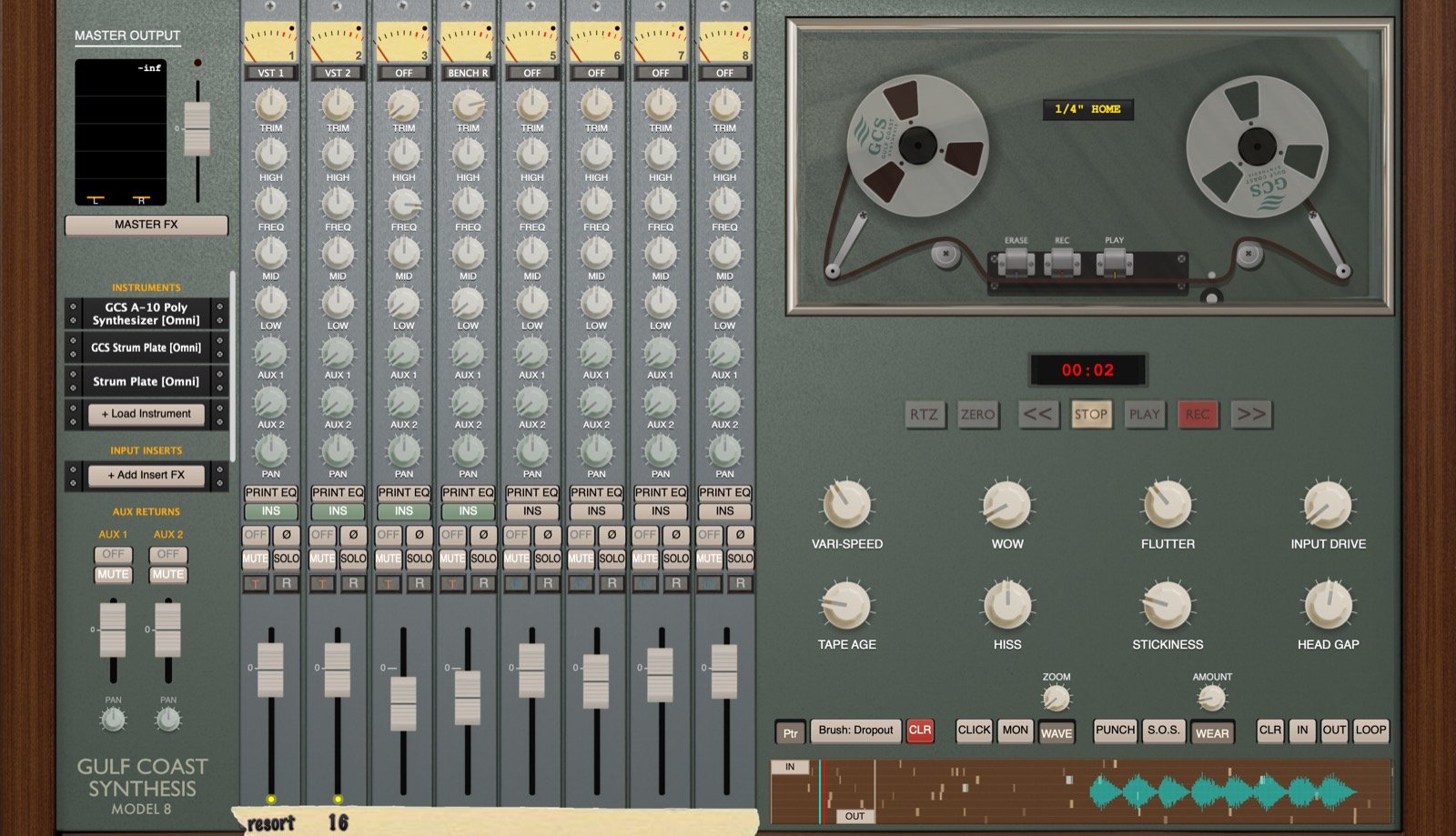
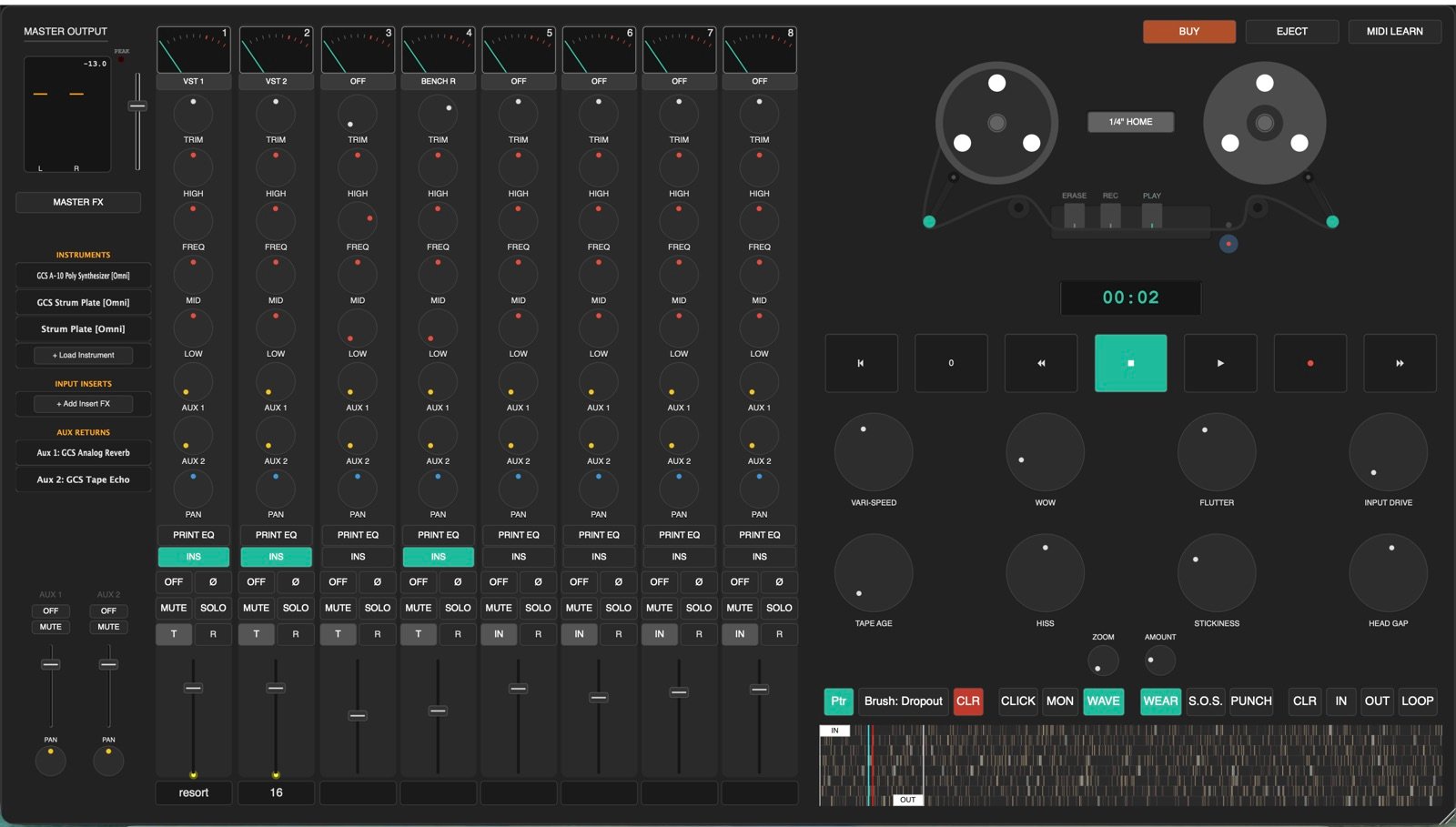
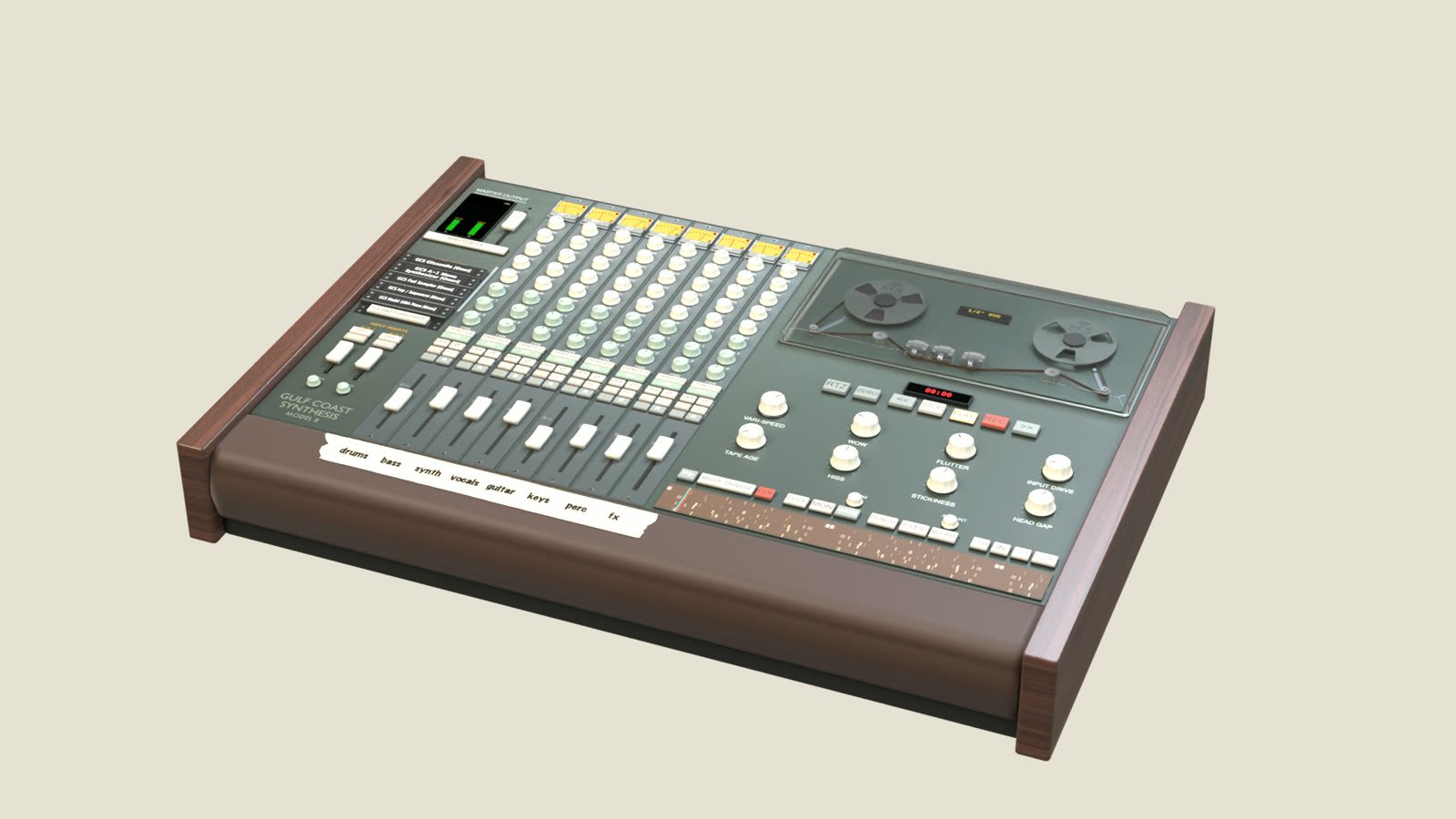
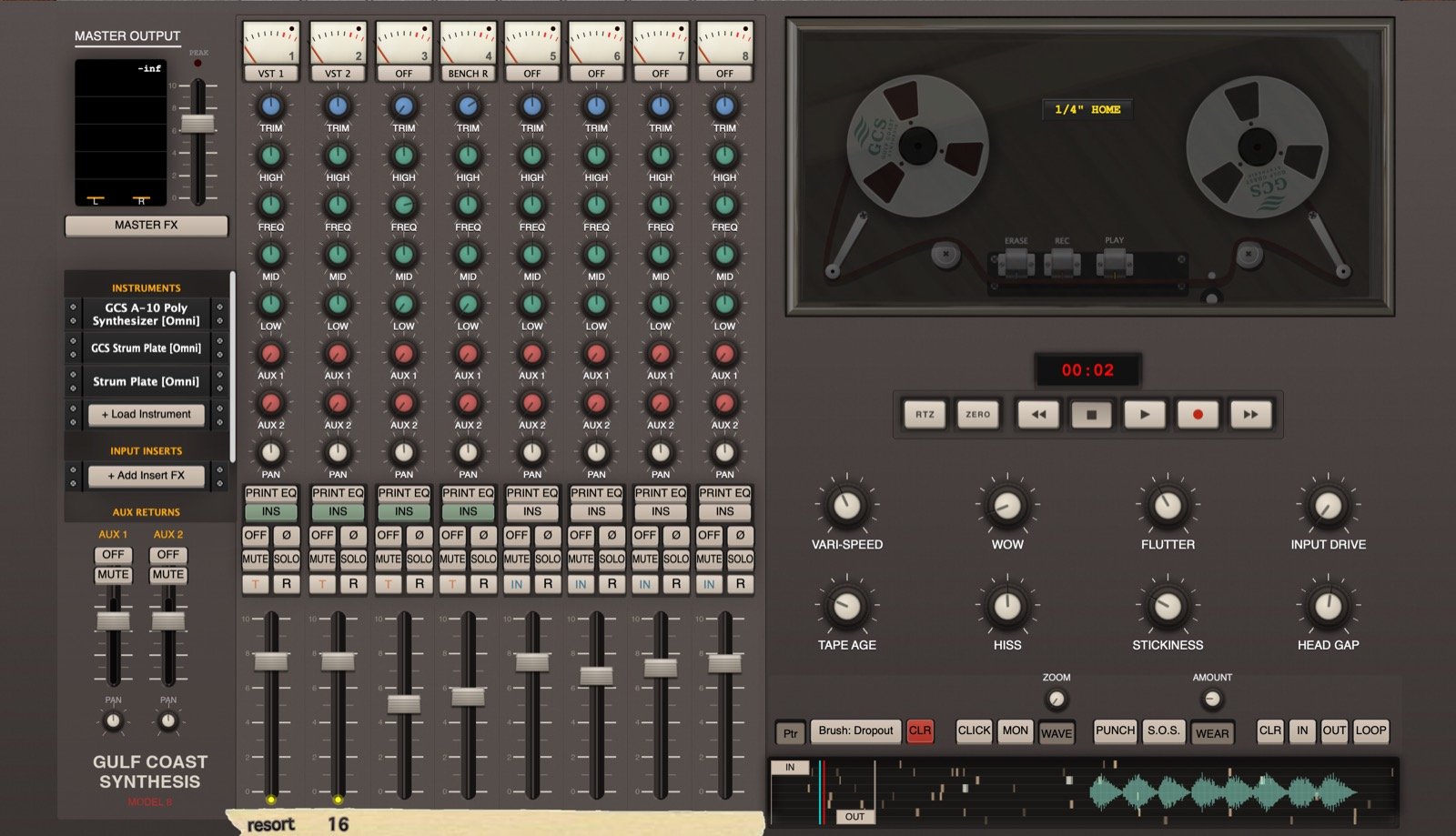
GCS Model 8 console, Mk II theme
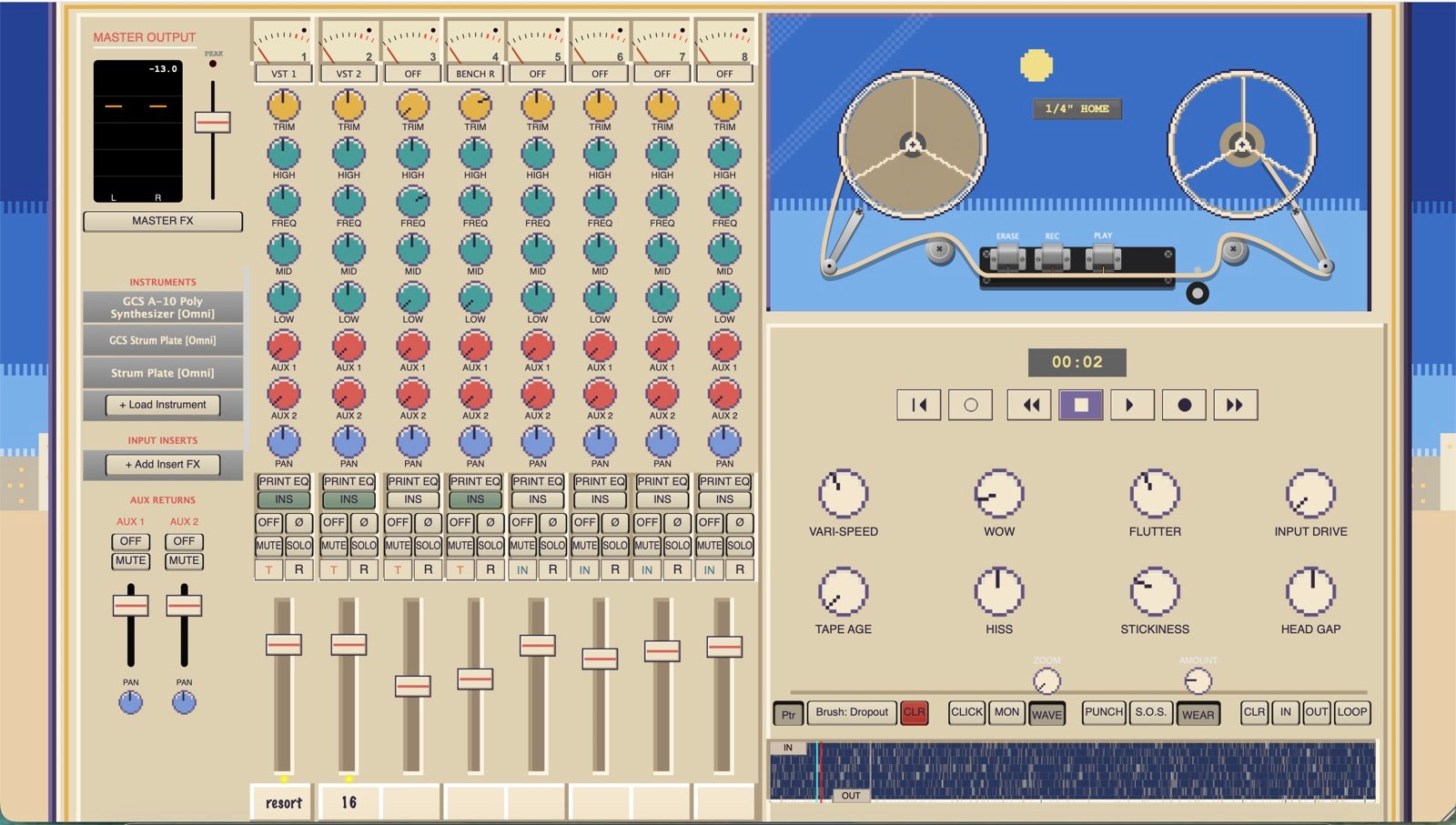
GCS Model 8 console, Mk I theme
Mk I Mk II · drag
24
Tape Tracks
Real-Time
Physics Engine
1″ → Cassette
Format Models
Mac / PC / iOS
Standalone
The Engine

Real tape, modeled in real time.

Most "tape" plugins are a fixed EQ curve with some hiss and a bit of wow baked in on top of your audio. Model 8 works differently. Under the hood is a proprietary engine that simulates how magnetic tape and the transport pulling it actually behave, calculated in real time as the track plays instead of printed once and reused.

01

No two playbacks alike

Live Simulation

Real tape never repeats itself exactly, and neither does this. Wow, flutter and the way the tape settles against the heads are all calculated live as the reel runs. Hit play twice and you'll hear it breathe differently, the same way a real deck does.

02

Every format, its own machine

Format Models

A 1-inch master doesn't sound like a cassette, and it shouldn't. Every format runs on its own custom physics engine built to replicate that specific machine, right down to its frequency response, noise floor, flutter and saturation.

03

Hands on the transport

Tension / Vari-Speed

Pull on the tape or work the tension arm while it runs and the pitch and tension react the way they would on a real deck. Vari-speed drags and glides like a real motor, with weight and momentum to it. Print those fluctuations straight into the recording.

04

Reverse recording

Transport

Flip the tape and record backwards with no glitches or gaps. Record, reverse, layer, and keep going without the transport ever falling apart on you.

05

Pristine, or run into the ground

Wear & Age

Dial in oxide age, stiction and stick-slip, dynamic frequency curves and transport character. Keep it clean and hi-fi, or run the same machine down until it wobbles, hisses and fights you back.

It's a tape machine you can actually get your hands on, and it sounds like one because it models the real thing every time you press play.

Reference

Specifications

Tracks24 tape tracks on desktop & iPad, 8 on the free iPhone app
Tape EngineProprietary real-time magnetic-tape physics: wow, flutter, oxide age, stiction, dynamic HF response
Formats1-inch master through cassette, each a discrete physics model
TransportVari-speed, hand-on tension arm, reverse recording, punch-in with zero-latency monitoring
SyncTrue tempo sync across instruments, benches and the Pad Looper · reel lock · tap tempo
InstrumentsA-10 Poly Synth · A-1 Mono Synth · Model 73 and Model 100A electric pianos · Voxtone Drum Machine · Glissandio · Pad Sampler · Strum Plate · Arpeggiator / Sequencer
OutboardLA-2A opto · FET-76 · Model ’66 and Model ’55 guitar amps · tape echo · spring reverb · parametric EQ · multi-modulation · chromatic tuner
EditingTape Loop Bench (second tape machine for looping, sound on sound and delay) · Splice Bench (cutting, reversing, scrambling) · in / out markers on import and bounce
HostingUnlimited third-party VST / AU (AUv3 on iPad), multi-output support, internal MIDI routing between plugins
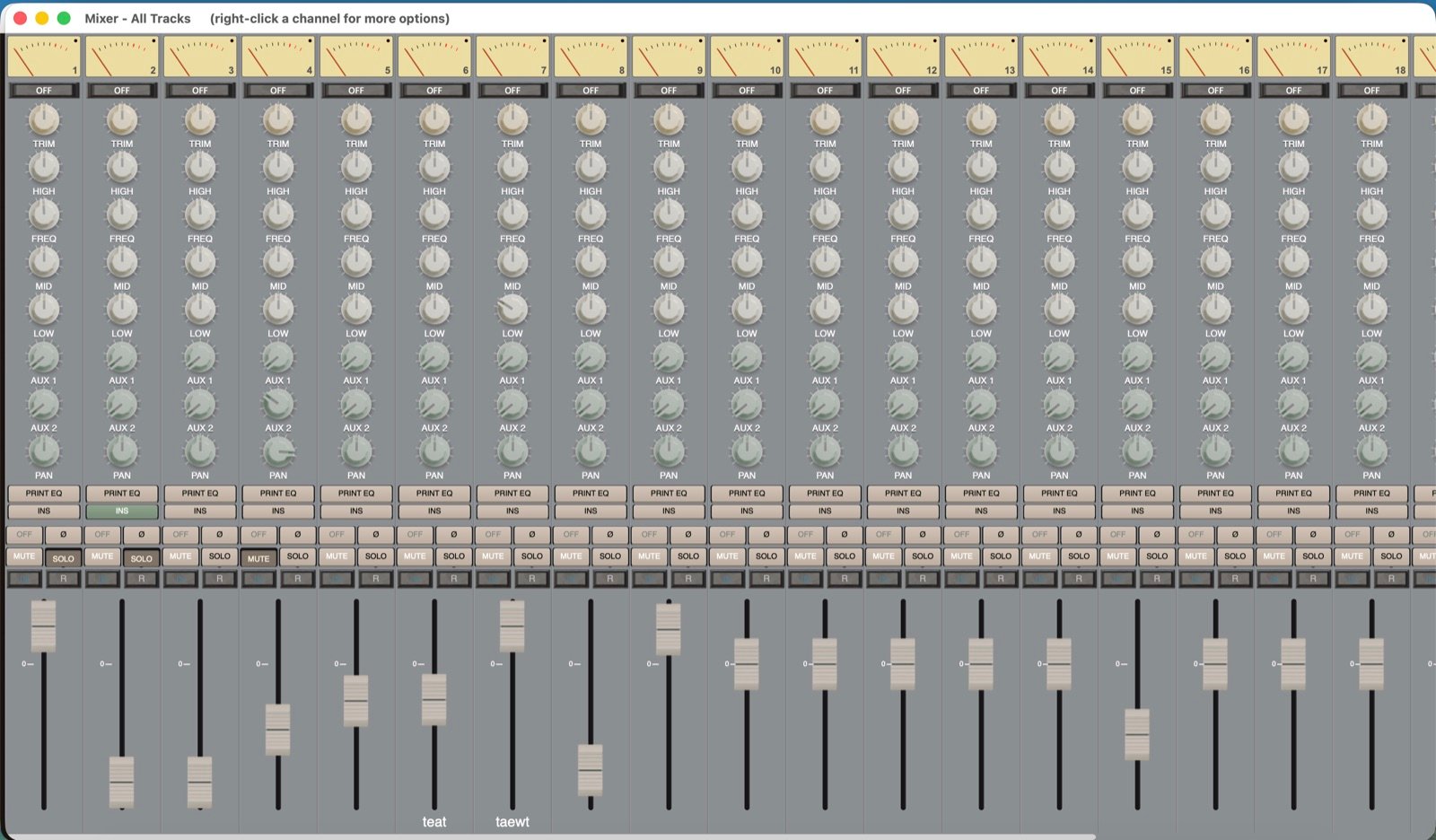
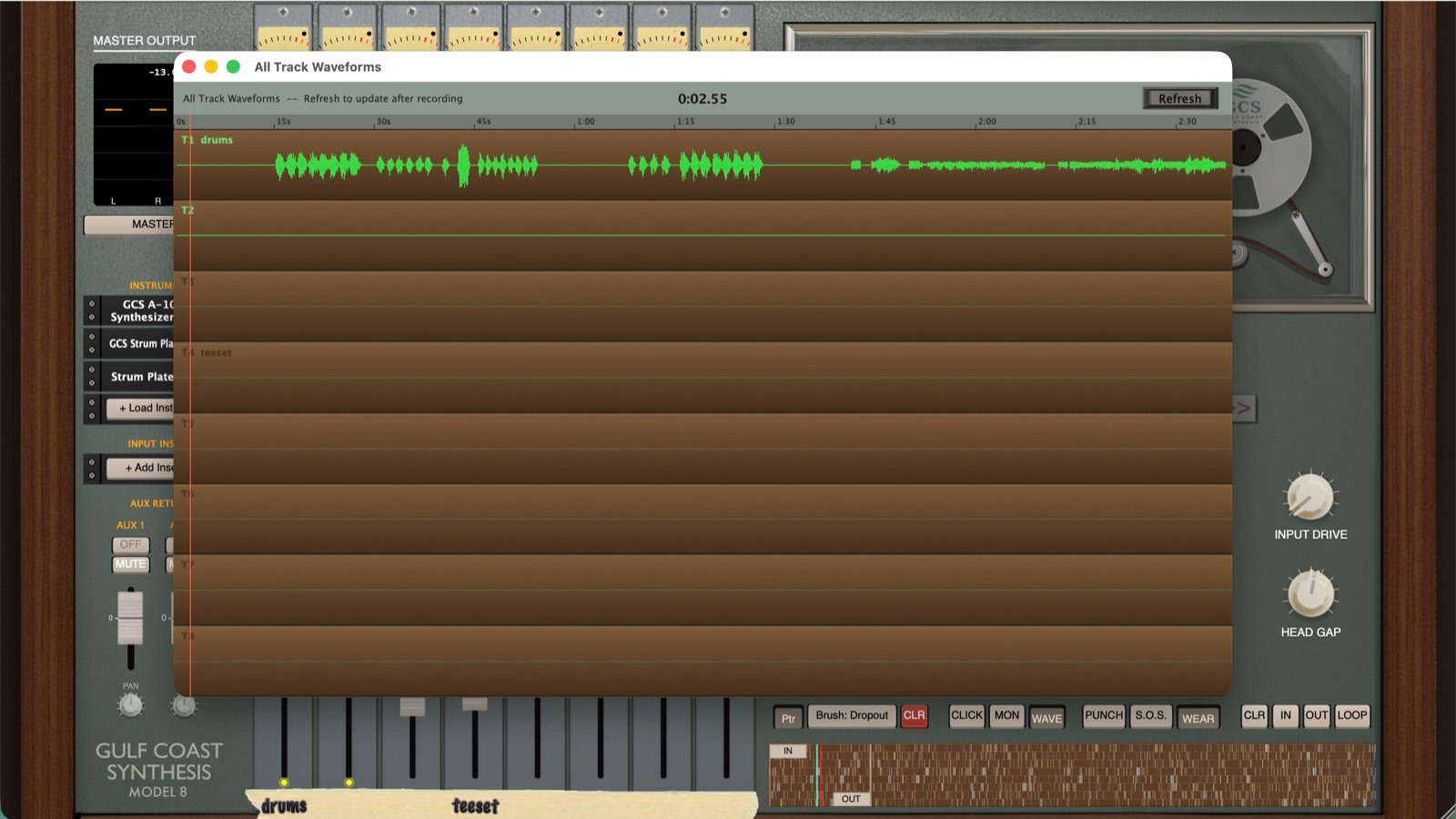
InterfaceMk I Zoom and Mk II themes plus new color schemes · full-screen mixer · all-tracks waveform viewer · track names on the tape strip
PlatformsmacOS 10.13+ (Intel & Apple Silicon) · Windows 10/11 · iPadOS 15+ · iPhone (free)
LicensePerpetual · up to 3 of your own devices, usable at the same time · free updates for as long as I keep working on it
Demonstration

See it run.

"Takes me right back to better days."

Vintage analog expert Espen Kraft takes a 15-minute deep dive into Model 8. He runs a 16-track session here, but the DAW goes to a full 24 tracks with a workflow reminiscent of a classic Tascam 388 console.

Chapters ▾
Everything Included

A whole studio, built in.

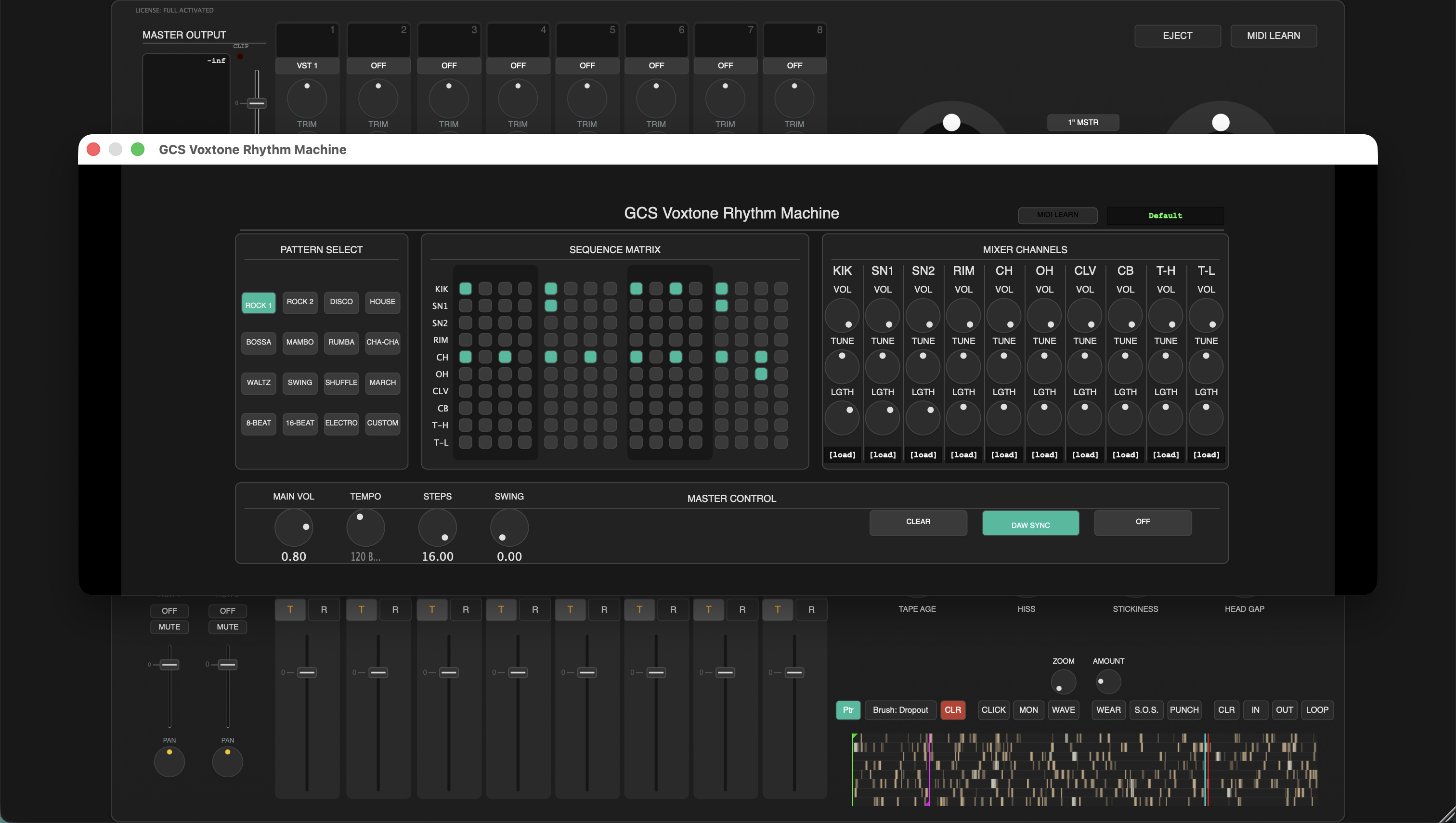
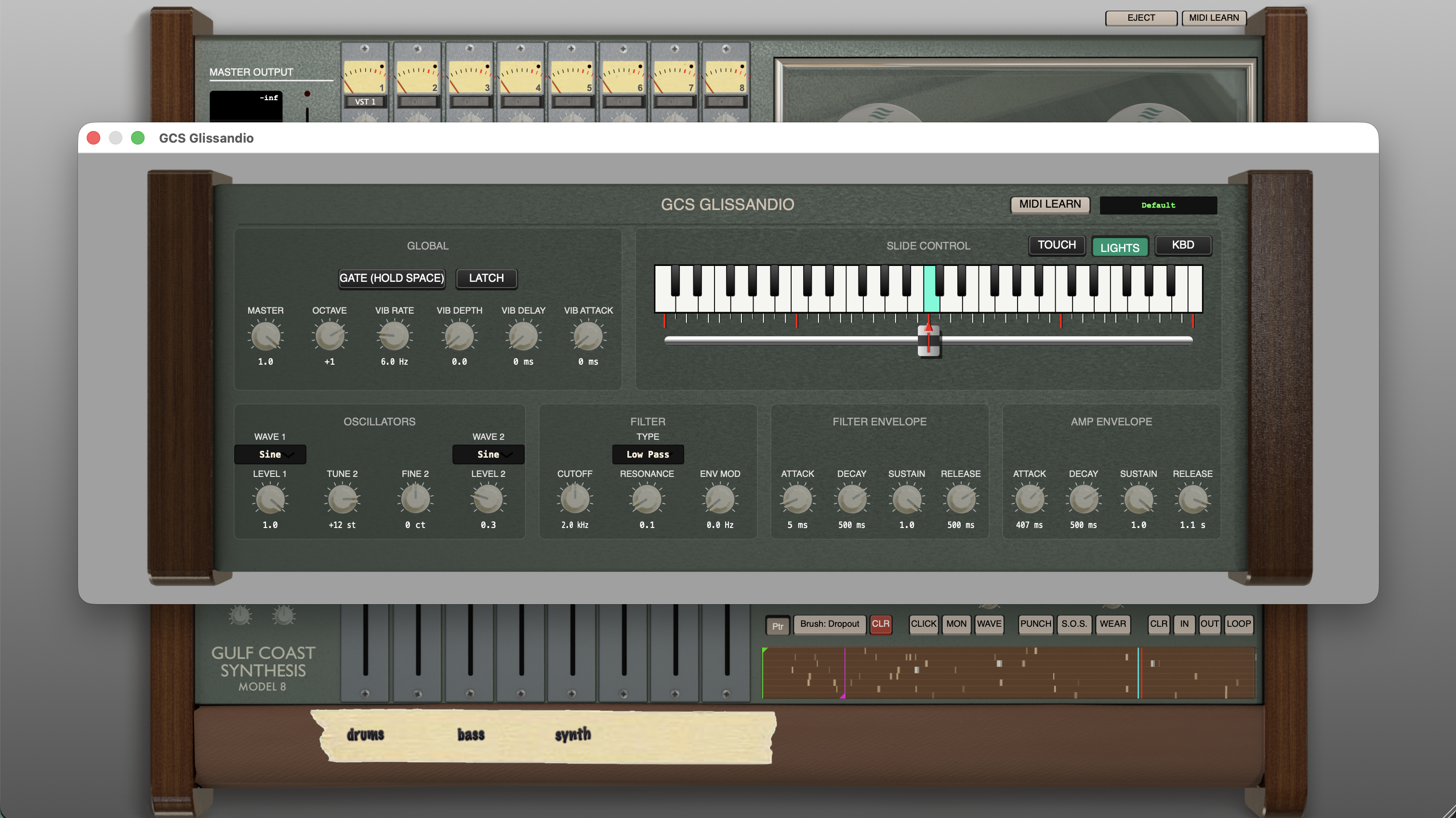
Model 8 comes with a whole studio inside it. Every instrument and effect you need to make a full record is here: analog-modeled synths, sampled Rhodes and Wurlitzer pianos, guitar amps, the Voxtone drum machine, Glissandio, plus a full outboard rack with opto and FET compressors, tape echo, spring reverb, EQ and modulation. Load your own plugins if you want to, but you don't have to buy a single thing to finish a record.

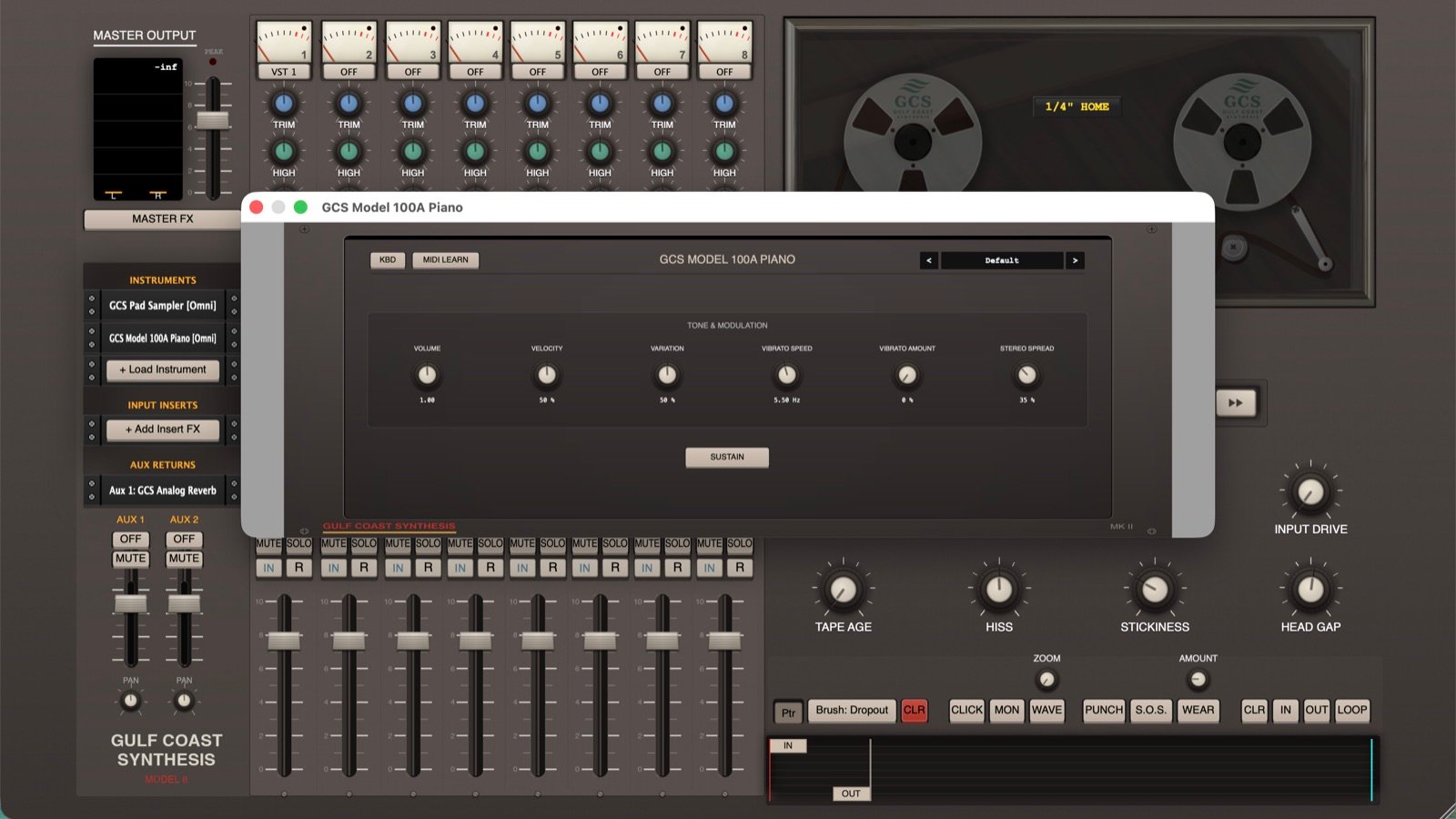
GCS Model 100A electric piano
Model 100A piano
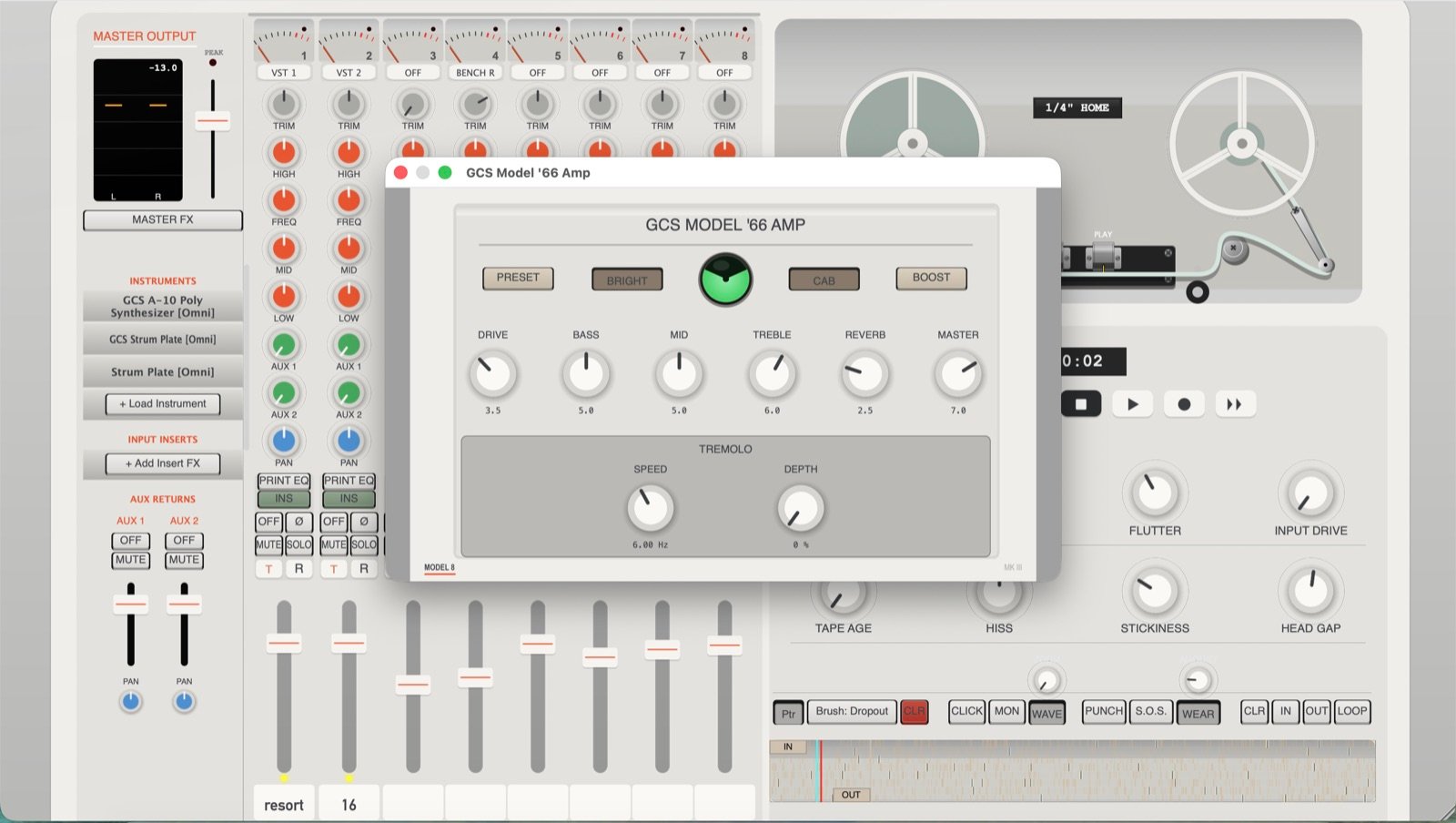
GCS Model '66 guitar amplifier
Model ’66 amp
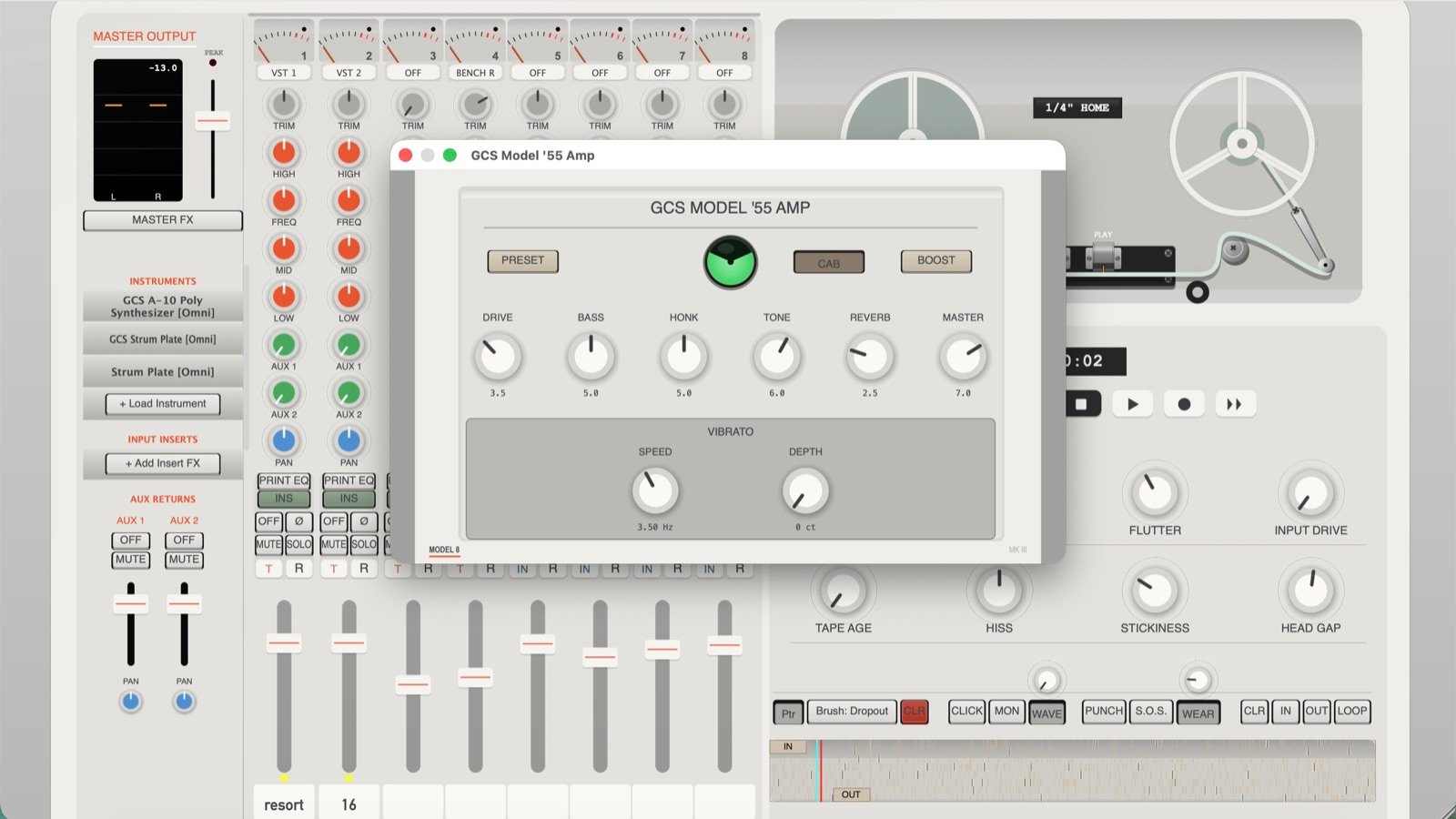
GCS Model '55 guitar amplifier
Model ’55 amp
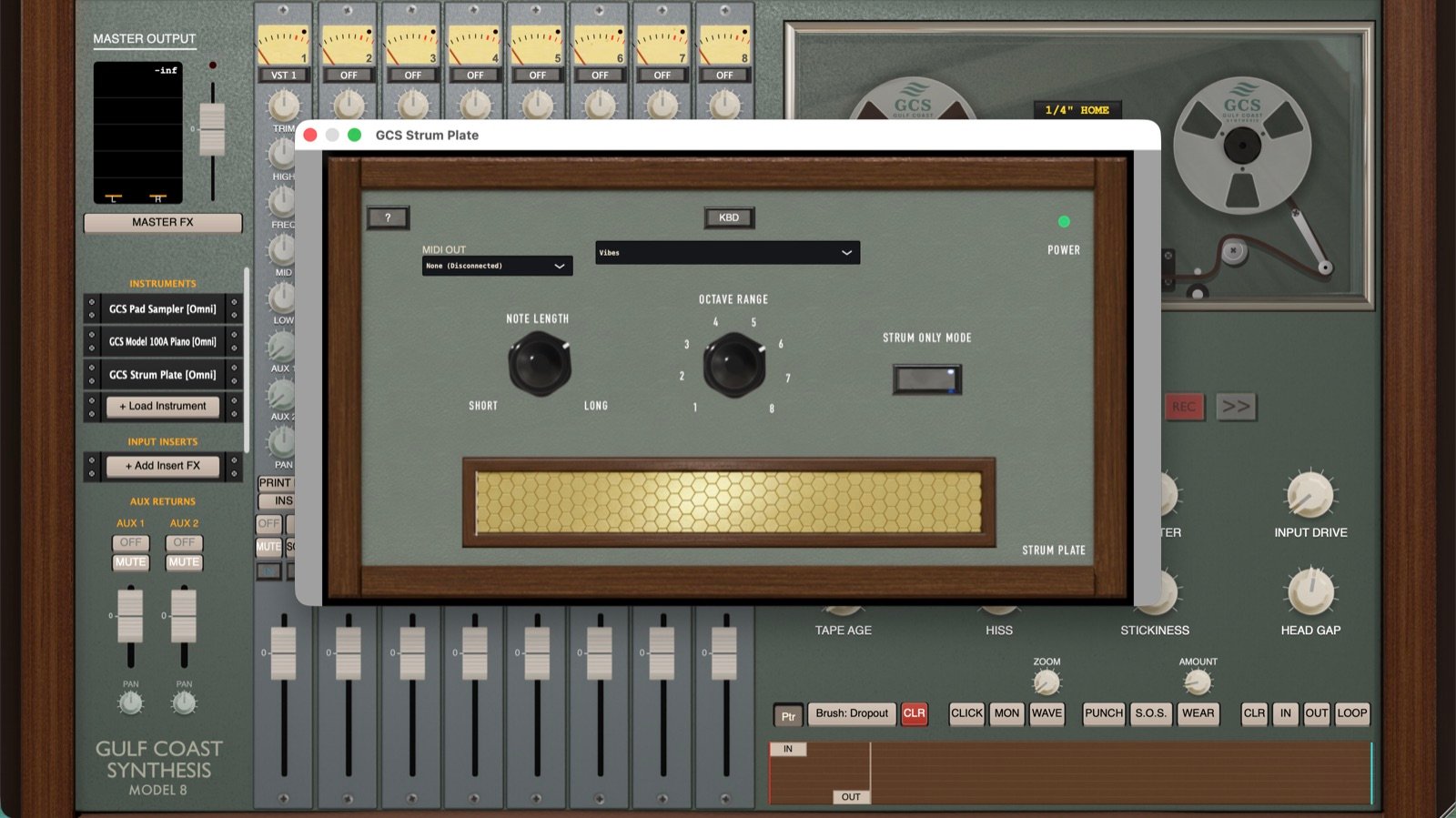
GCS Strum Plate
Strum Plate
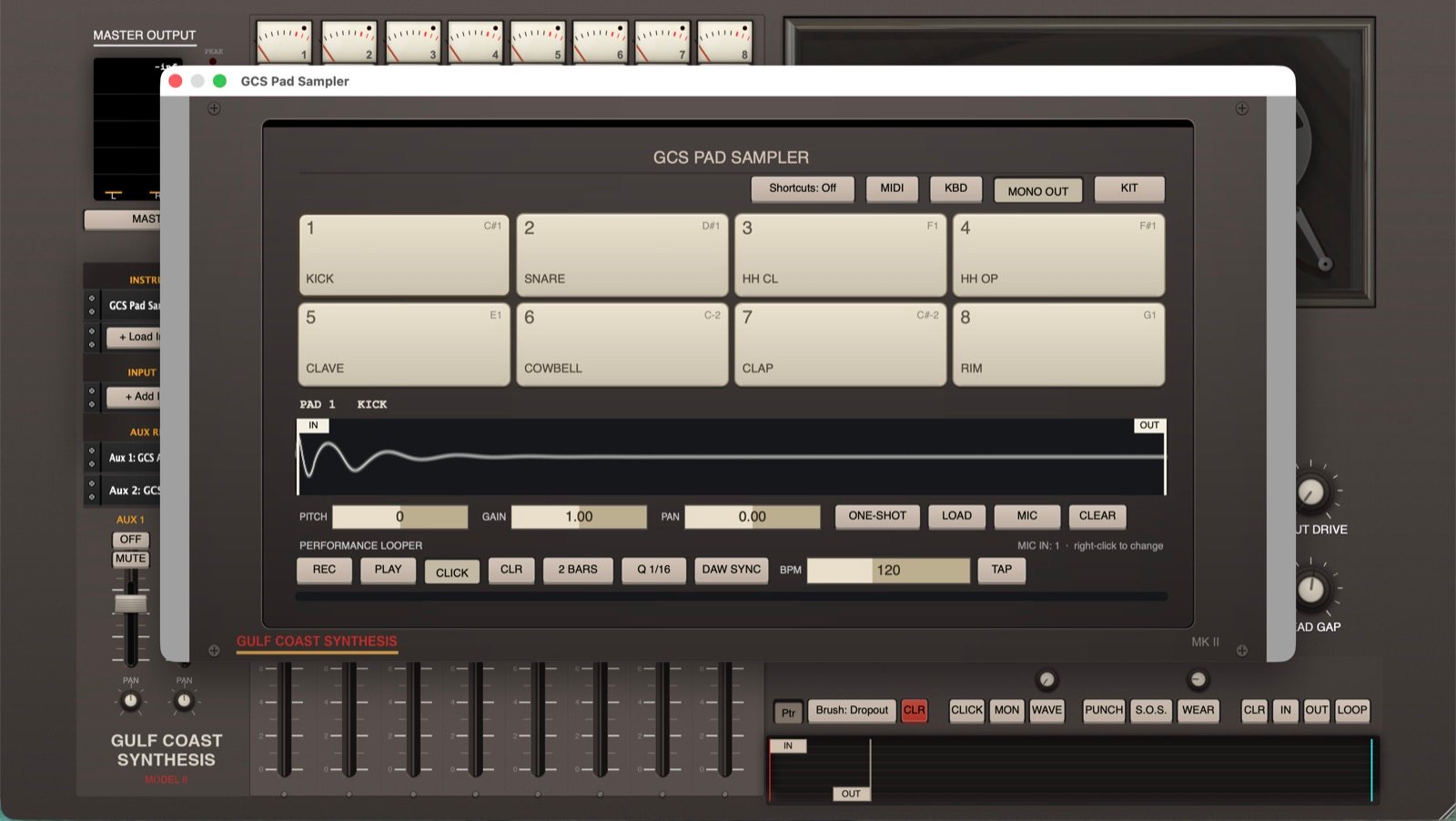
GCS Pad Sampler
Pad Sampler
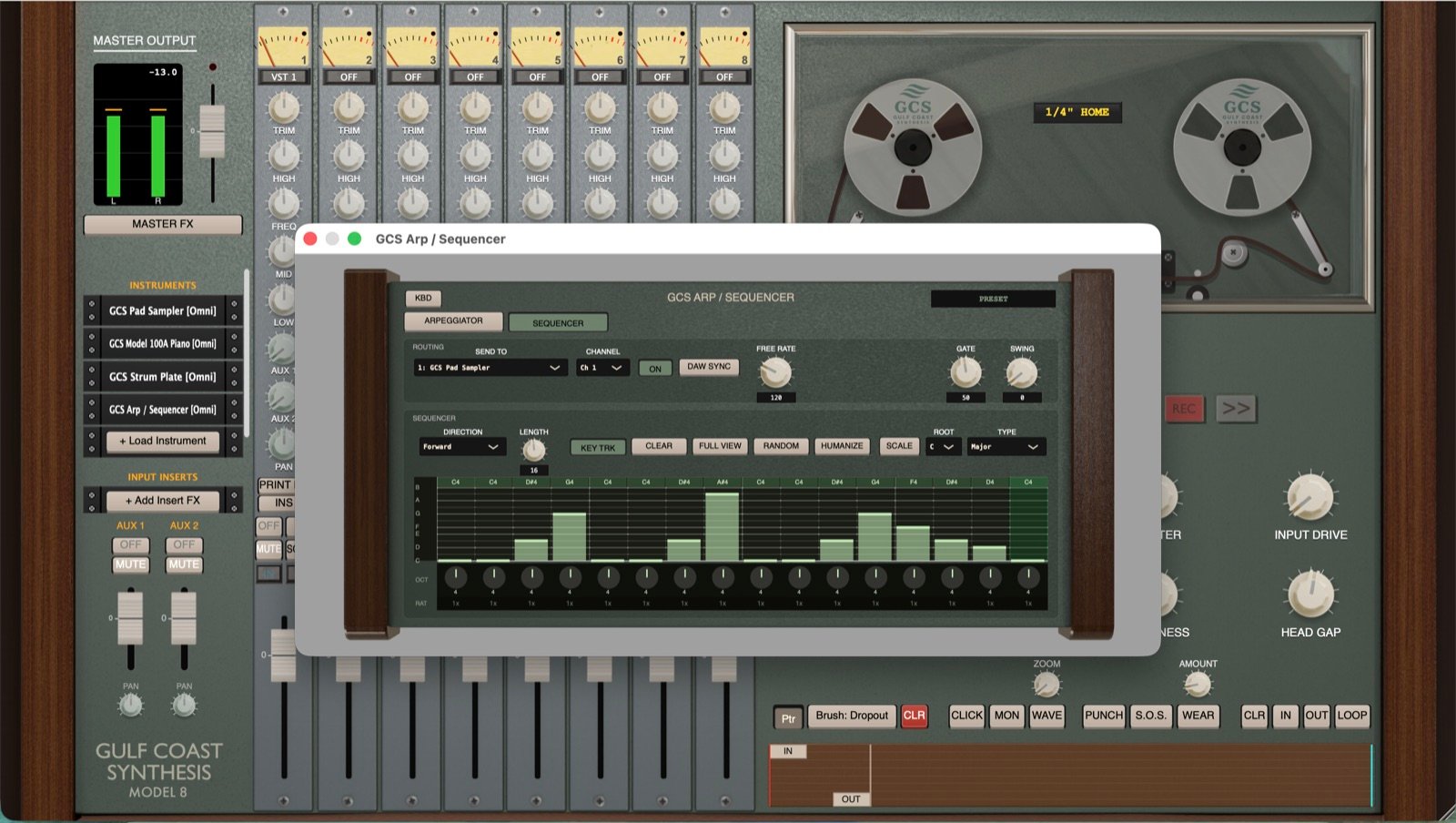
Arpeggiator and sequencer
Arpeggiator / Sequencer
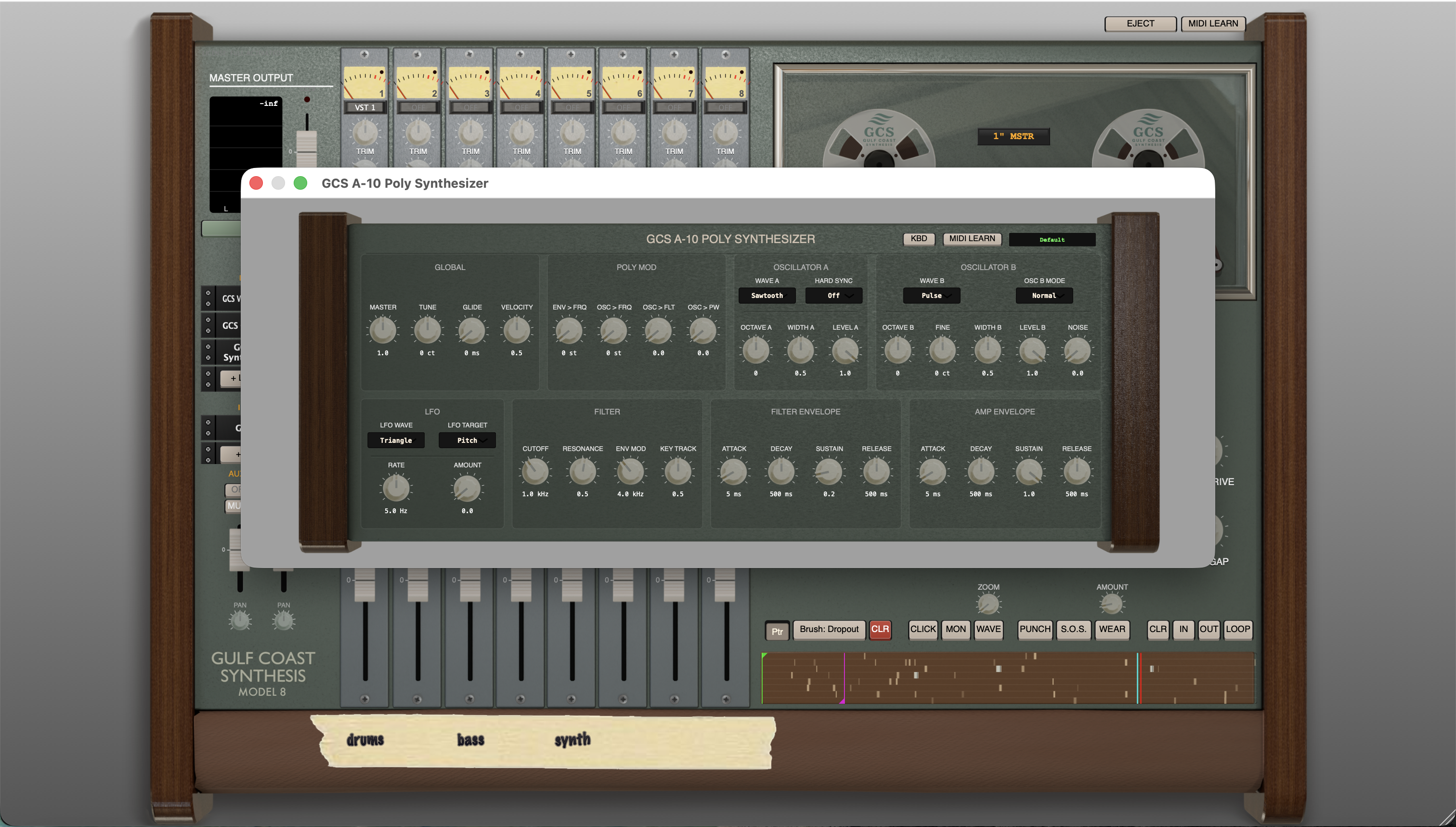
A-10 poly synthesizer
A-10 poly synth
Voxtone drum machine
Glissandio tannerin
Glissandio
New in 3.0.3

Two new tape benches.

3.0.3 adds a second tape machine and a splicing table, both running the same physics as the main transport.

Tape Loop Bench

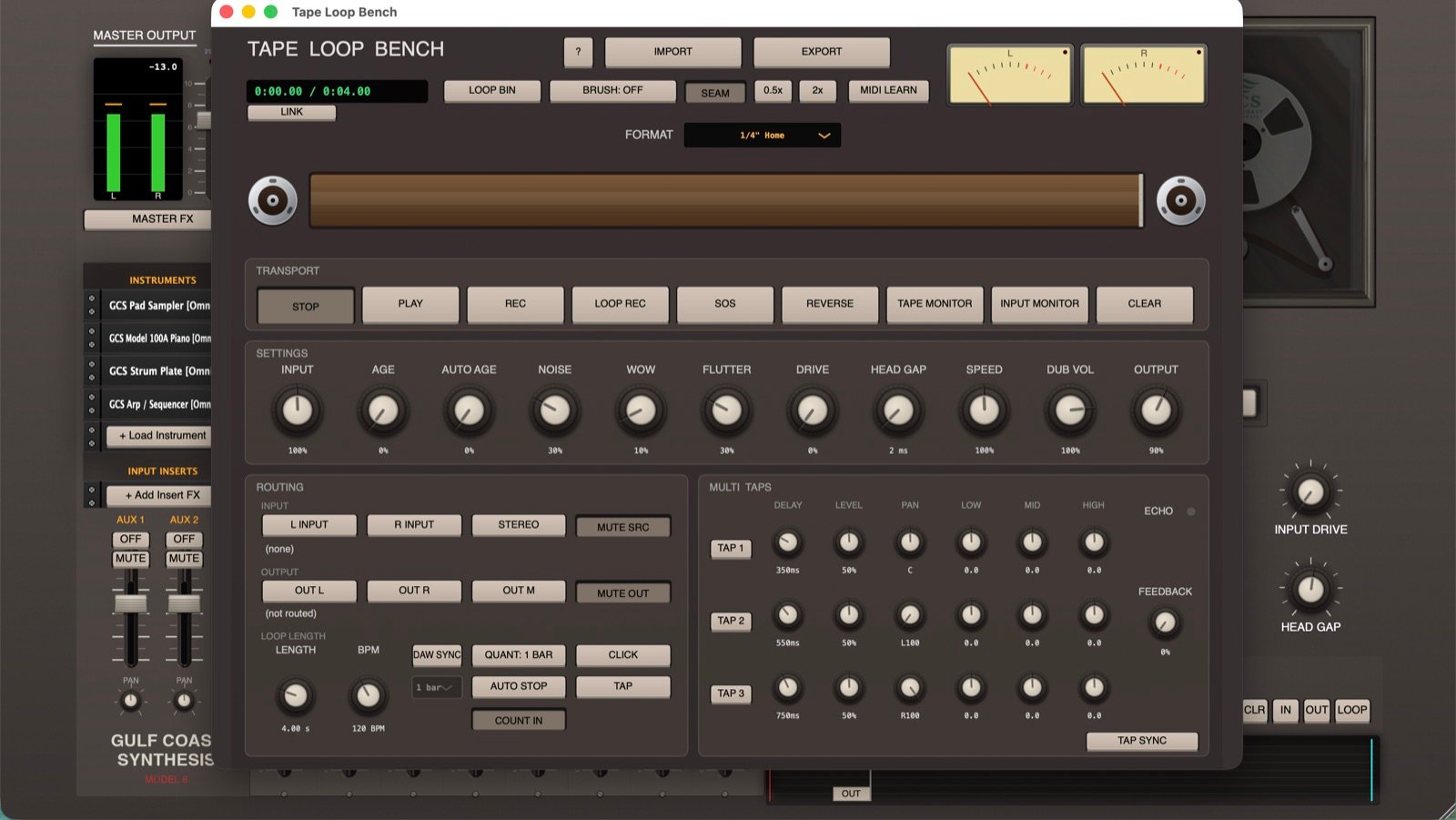
Tape Loop Bench

A really fun new tool that adds a second tape machine with the same physics for looping, Sound on Sound, and delay. You can also just use it as an effect and play live through tape with essentially zero latency, if you want your guitar or instrument to sound like aged tape.

Splice Bench

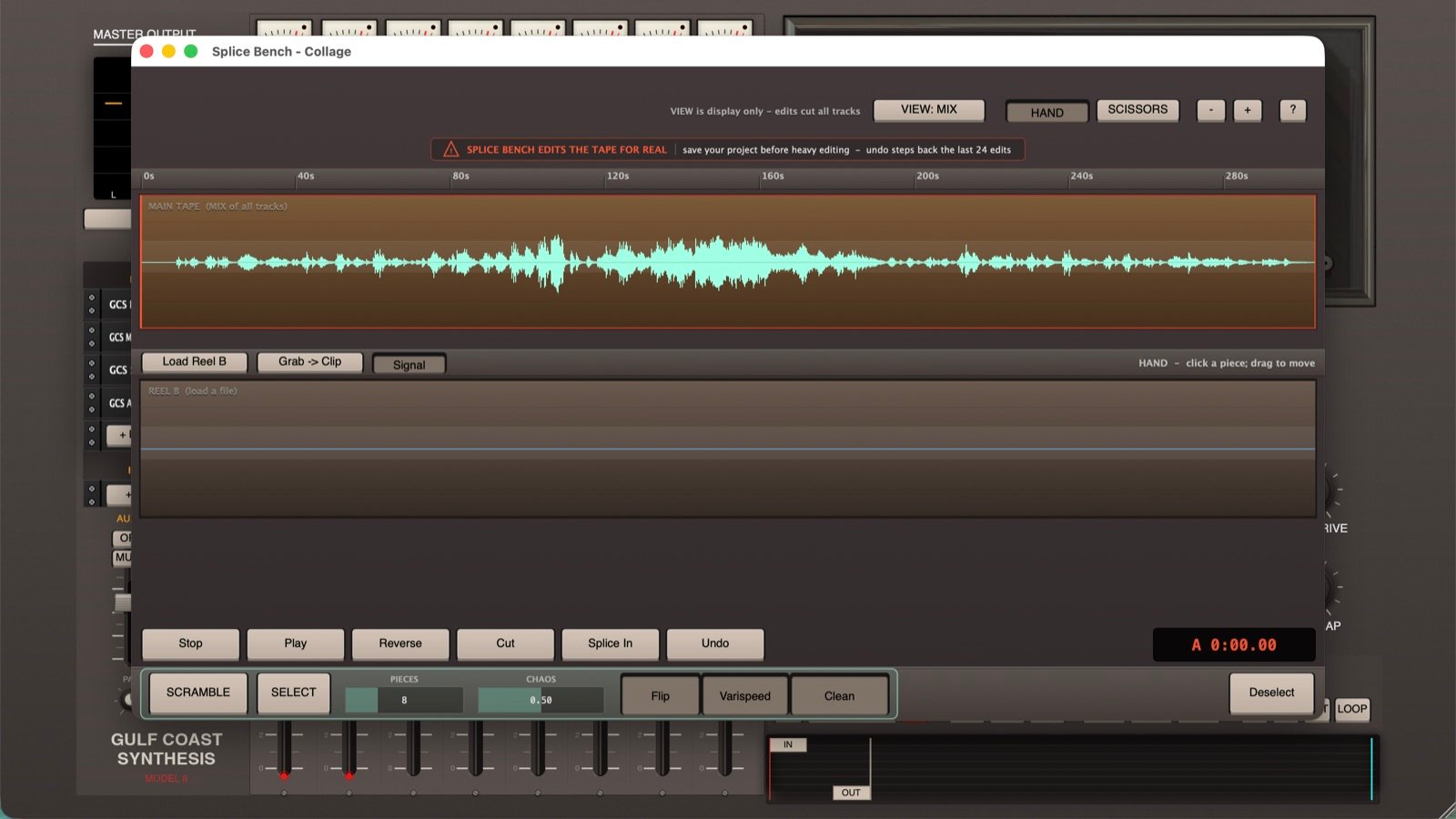
Splice Bench

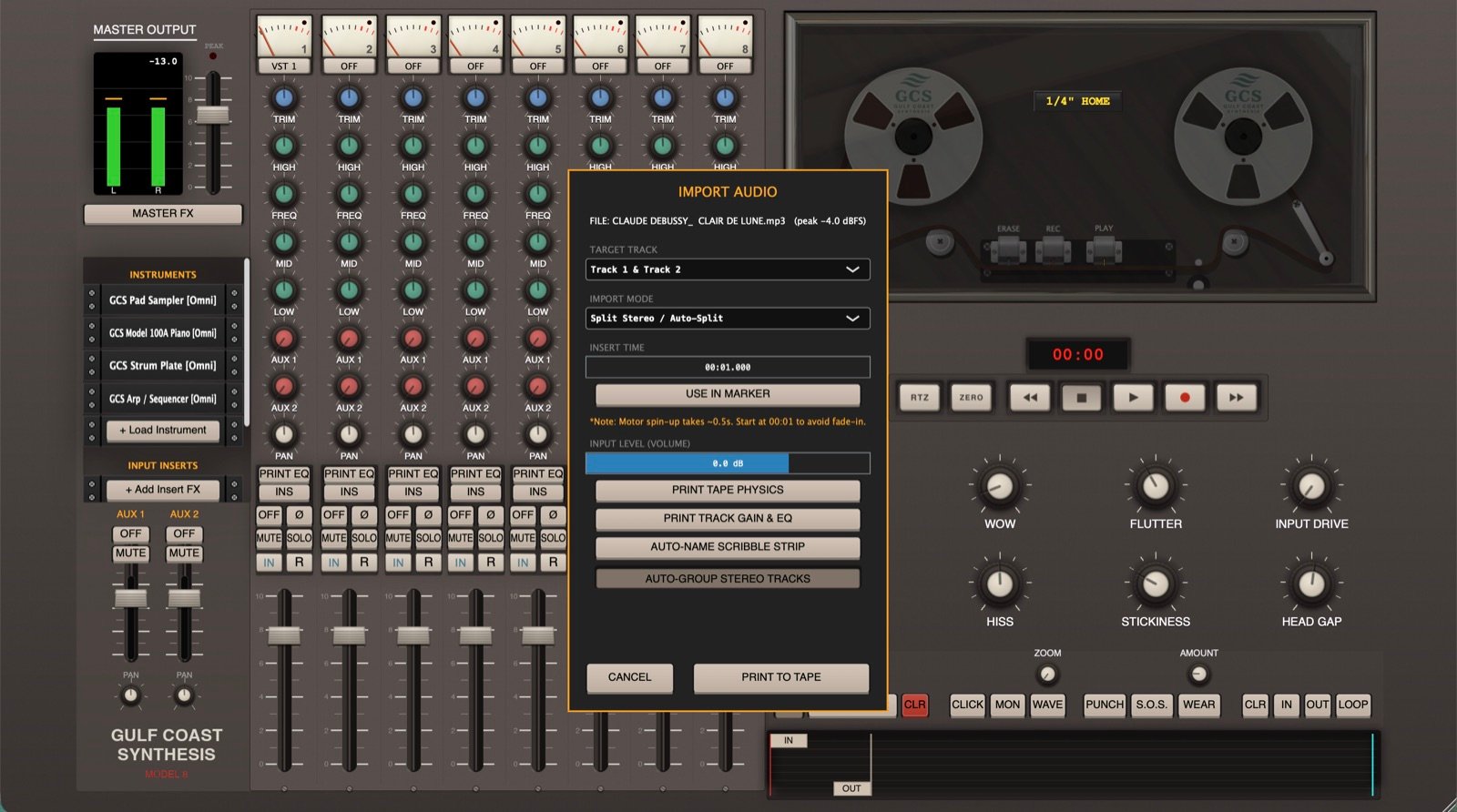
A new tool for tape-style editing like cutting and reversing. You can also do Sgt. Pepper’s style scrambling, which cuts the tape into a bunch of pieces, scrambles them, and reverses or varispeeds chunks. It also lets you load audio onto a second reel and splice in sections from it. I made this work exactly like reel tape splicing, so it works globally across all of the tracks.

Widescreen mode for the Minimal theme
Model 8 pixel theme
Full-screen mixer
All-tracks waveform viewer
Import with in and out markers

Everything in the update is listed on the downloads page.

Field Reports

What people are saying.

★★★★★

"Just when you thought there are more than enough tape machine emulations, along comes GCS Model 8, a full-fledged analog multi-track DAW running on your computer. Can't think of one feature that has been left out, except maybe the smell of warm tape."

Dave Polich
Synth Sound Designer · Yamaha / Dave Smith Instruments / Michael Jackson / The Cure
★★★★★

"I'll be doing my next full-length album entirely with the Model 8. This workflow is what I didn't know I was dreaming of in a DAW."

Joshua R.
★★★★★

"Best DAW I've ever used. The mobile and desktop versions both blow the competition out of the water."

App Store · Wecanrecordthemwholesale
★★★★★

"A lot of people would have their brains explode if they fully understood exactly what this is."

Charlie B.
★★★★★

"I'm recording basically all of my music with this now. Thank you for this amazing software."

Francisco M. · Maleza Producciones
★★★★★

"La migliore DAW in assoluto, simulazione impeccabile. Un grazie infinito allo sviluppatore."

App Store · Gian Patrizio (IT)
★★★★★

"The limitations of tape, track count especially, were a missing part of my process digitally, until now. It's killer."

Stephen M.
Order

Get Model 8.

Now Available

Desktop for Mac & PC

$59.99 $69.99Introductory Price
  • The full pro application with the complete physics engine
  • Perpetual license, yours forever
  • Use on up to 3 of your own devices, all at the same time
  • Unlimited 3rd-party plugin hosting
  • Free updates for as long as I keep working on it
Purchase License Start the Free 10-Day Trial
iPadOS

iPad · Full

$14.99
  • Free to test before you buy (saving requires purchase)
  • Full 24-track standalone application
  • AUv3 plugin hosting
  • File transfer with desktop
Download on App Store
iPhone

iPhone · Free

Free
  • Pocket-sized 8-track Tape DAW, the same physics engine as desktop
  • Built-in synths, Voxtone drums & outboard FX
  • No in-app purchases, subscriptions or ads
  • Reels transfer up to iPad & desktop
Download Free on iPhone
Fully functional 10-day desktop trialNo credit cardInstant delivery via KeyforgeAlso: free iPhone Remote (TestFlight)
Desktop Trial

Try before you buy.

I really do recommend grabbing the 10-day desktop trial before you buy. Model 8 has been beta tested hard for the last six months, but this is still a soft launch and everybody's audio setup is different.

Make sure the standalone DAW plays nice with your specific interface, your OS, and your favorite third-party plugins first. If it does, and it almost always does, then buy it. (Or just grab the free iPhone version and start now.)

Fully functional trial · No credit card · Activates instantly via Keyforge.

Already have a license? Download here.

Start Your 10-Day Free Trial

No credit card required. Get instant access!

Generating your license and sending the email. This takes a few seconds.

Questions

Good to know.

Is this a plugin or a standalone app? +
It's a standalone application, its own studio rather than a VST/AU you load into another DAW. It does host your plugins, though: load your own VST/AU instruments and effects (AUv3 on iPad) right into the session. Your own plugins still load and run, just inside a tape machine now.
Is the free iPhone version really the same engine? +
Yes. The iPhone app is a free, pocket-sized 8-track Tape DAW running the exact same physics engine as the desktop and iPad versions, with the built-in synths, Voxtone drums and effects. No in-app purchases, subscriptions or ads. Reels you make on iPhone move up to iPad and desktop, which add more tracks and full export.
Why does it play back different every time? +
Because the physics run in real time. Wow, flutter and tape fluctuation are calculated live as it plays, exactly like a real deck that never repeats itself perfectly. When you bounce, you commit a take and lock it in, but on playback the tape breathes.
How is it different from tape plugins I already own? +
Most tape plugins are a static EQ curve plus some noise, an effect painted over your audio. Model 8 is a full physics engine modeling the tape and the transport itself. Different formats are genuinely different machines, you can grab the tape and tension arm by hand, and you can flip the tape and record backwards.
Will it run on my machine? +
macOS 10.13+ (Intel & Apple Silicon), Windows 10/11, iPadOS 15+, or iPhone. It uses real-time RAM for the tape modeling rather than disk streaming, so a modern CPU helps. There's a LOW CPU mode in settings. Grab the free desktop trial (or the free iPhone app) to confirm it's smooth on your exact setup first.
Can GCS Model 8 run Doom? +
Kind of, yes. There is a hidden Doom style game built into Model 8. Punch in the right Tape Genie code and you can play it right there in the DAW, and getting through it unlocks new features. It is not actual Doom, and Model 8 is a tape machine first, but the game is genuinely in there. You have to find the code yourself.
Do I have to pay for updates? +
One payment covers Model 8, and in practice that has meant free updates for as long as I keep working on it. I plan to keep improving it and hand those updates to existing owners for free. The only thing that would ever carry its own price is if I build something that is genuinely a substantially different product, not an update to this one. Short of that, expect your upgrades to stay free for as long as I am the one making it.
What's your refund policy? +
Because these are digital products with a free trial, sales are final as a rule. That said, I run a small shop and I want you happy with what you bought. If something isn't right, reach out within a reasonable time after your purchase and I'll almost always work it out with you. The free desktop trial is there so you can be sure it's a fit before you pay.
Also from Gulf Coast Synthesis

The other tools I make.

Model 8 is the flagship, but it isn't the only thing I build. Here is the rest.

Join the mailing list

Product updates, exclusive discounts, and the occasional freebie. No spam.